ESS ES1688
The ES1688 was the fourth audio chip in ESS' AudioDrive line, and their first 16-bit one, released in March 1995.
|
Released | March 1995 |
| Bus | ISA 16-bit | |
| FM Synth | Integrated ESFM | |
| Sample Range | N/A | |
| Standards | Ad Lib, Sound Blaster 2.0, Sound Blaster Pro, ESFM | |
| Plug & Play | No | |
| See Also | ES688, ES1488 |






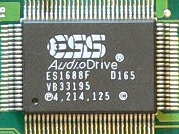
The ES1688 was the successor to both the ES688 and ES1488, having a six-channel mixer over the ESS688's five, a true hardware MPU-401 UART MIDI interface, and integrated ESFM synthesizer from the ES1488. The card also supported Advanced Power Management (APM) so it had self-timed power down, auto wake up, and suspend/resume support.
The ES1688 provided excellent Sound Blaster Pro compatibility and with their own ESFM OPL3-compatible synthesizer, produced decent quality FM synthesis. The chip runs at 44.1 kHz only when in Native [AudioDrive] mode - otherwise it runs in Legacy [Sound Blaster-compatible] mode.
The chip also had a wavetable serial port, allowing cards based on the ES1688 to interface directly with an ES689 / ES690 if installed, or a wavetable daughterboard connected to a wavetable header on the card. Its wavetable header does not suffer from any bugs like the common Sound Blaster hanging notes bug when used at the same time as FM synthesis.
The ES1688F chip can be found on the following sound cards:
- ES-1688F
- A Formosa sound card with part number MPB-000036 (FCC ID: KWX-SC1650)
- Behavior Tech BT-1835 with part number 1833/5 (FCC ID: E5X1835)
- AudioWave 32PNP / MediaWave MW-0203151
- Pine Technology PT-201
- Sertek S521
- KT Computers Technology Sound Zapper Pro 2
- Multiwave Innovation AudioWave 16PNP
- Shark Multimedia Mako Plus
According to this link on GitHub, the ES1688 contains a toggleable MPU-401 UART in the port range 3x0h-3x1h. By default, the ES1688 Windows driver tries to enable and test this UART, and if it doesn't work properly, it rejects the card. To get the card to work on Windows, you need to disable the MIDI UART. In order to get the card to work under Windows: select the card in Device Manager, click on the Properties button, go onto the Resources tab, and in the Setting based on: spinbox, select Basic configuration 2. Check the list of resource settings above - the port range 3x0h-3x1h should have vanished. Adjust the port ranges to match your DOSBox settings and click OK, reboot the machine if needed, and the card should work.
Revisions
I have no information on the revision history of the ES1688.
Competition
The ES1688 was very popular from launch, finding itself well-positioned in the budget sound card market.
In the Media
Fremont, CA (March 20, 1995) -- ESS Technology, Inc. introduced today the first "all-in-one" 16-bit stereo audio chip, the ES1688, the first complete audio solution integrating music synthesis on a single chip. The ES1688 supports PC audio and games in Sound Blaster™ and Sound Blaster™ Pro modes, with additional enhancements from ESS Technology, Inc.-developed ESFM music synthesis. Using the ES1688, system designers can eliminate costly sound cards and place the entire stereo audio circuitry in an area smaller than 1.5" x 2.0", freeing up one ISA slot within Multimedia PCs or adding audio capability to notebook PCs.
Fred Chan, President of ESS Technology, Inc., stated, "The ES1688 AudioDrive® product reflects ESS Technology, Inc.'s commitment to deliver PC OEMs and add-in card suppliers the total PC audio solution at superior price-performance. OEMs now have a single-chip solution for high-quality 16-bit stereo CD-quality audio, with additional richness from ESS Technology, Inc.'s ESFM technology."
The ES1688 provides all required circuitry for adding 16-bit stereo audio and 20-voice music synthesis to personal computers. The ES1688 provides 16-bit stereo record and playback at sample rates of up to 44.1 KHz with CD-quality sound. The ES1688 includes a 6-channel mixer with three 16-bit stereo inputs (typically LINE, CD-ROM, and TV), plus one mono input for microphone. 16-bit stereo output mixes two independent channels of ESFM music synthesis and game audio, with independently selectable sample rates.
External interfaces include three serial ports which interface to music composition and control devices, including an MPU-401 interface for MIDI (Musical Instrument Digital Interface) music synthesizers, a serial port to a DSP enabling DSP-software audio effects, and serial interface to an external wavetable music synthesizer. The ES1688 includes a broadside ISA bus interface, advanced power management modes for notebook PCs, and two software address selection modes for motherboard Plug and Play configuration.
"The ES1688 includes a significant new method of music synthesis, ESS Technology, Inc. ESFM music synthesis technology," stated Albert Mak, ESS Technology, Inc. Vice President of Marketing. "ESFM is backward-compatible to FM synthesis, and provides superior sound quality with 72-operator ESFM music synthesis, versus 36 for traditional FM synthesis. ESFM improves the depth and timbre of instrument sounds and enables chorusing of instruments and voices. PC users with the ES1688 will immediately notice the difference in the depth and richness of computer music." "The ESFM software driver running under Windows automatically produces the richer sound," explained Bill Windsor, ESS Technology, Inc. Strategic Marketing Manager. "With PCs that use the ES1688 AudioDrive, the PC configures the Windows MIDI Mapper to send MIDI music files to the AudioDrive, which immediately invokes ESFM 72-operator audio synthesis. The result is an immediate improvement to the depth of instrument sound. DOS games can utilize ESFMquality when they enable ESFM music synthesis mode." ESS Technology, Inc. has worked with ISVs (Independent Software Vendors) in developing AudioDrive as a superset standard to Sound Blaster and Sound Blaster Pro audio, enabling software developers to take advantage of 16-bit stereo for new applications, but maintaining backward compatibility with pre-existing audio standards.
The ES1688 chip comes with driver software that supports PC stereo audio under Microsoft® Windows™, Windows 95™, Windows for Workgroups™, Windows NT™, and Windows Sound System™ 2.0, in addition to IBM® OS/2 Warp™ operating systems.
The ES1688 comes in a 100-pin PQFP and is in production now. The ES1688 is an extension of ESS Technology, Inc.'s AudioDrive family of audio chips, which includes the ES488, ES1488, and ES688. The ES1688 is socket-compatible to the ES688. List pricing for the ES1688 at OEM quantities is $24.00. An ES1688 AudioDrive Evaluation Kit is available now, which includes an ES1688 evaluation board, sound library, application programs and documentation."
ESS website, 20th March 1995
Setting it Up
For information on how to configure your card, please check your sound card's user manual. In the absence of this, read on.
Sound cards that use the ES1688 will likely have jumpers or DIP switches to configure the card's I/O Base Address (220h or 240h), IRQ (2, 3, 5 or 7) and DMA channel (1 or 3). The default configuration is likely base address 220h, IRQ 7, and DMA channel 1. Some of these jumper settings will be overridden in software using the ESSCFG utility.
The ES1688 does not require any device drivers to be loaded for use in DOS. Just be sure to have your BLASTER environment variable set, for example have this in your AUTOEXEC.BAT:
SET BLASTER=A220 I7 D1 T3
For Windows, ESS provided drivers for Windows 3.x, Windows NT, Windows 95, and IBM OS/2. These drivers will default to an I/O base address of 220h for Sound Blaster, 388h for Ad Lib, IRQ 7, and DMA channel 1.
ESS cards typically came with some DOS utilities. They check for the presence of an ESS audio chip and won't run if not detected.
- ESSCFG.EXE - a DOS utility for setting or displaying the IRQ channel and DMA channel of your sound card. This program can override the settings of hardware jumpers and let you change the setting without turning off your system. Known versions include:
- 28th Nov 1995, filesize = 35,901 bytes. For ES688, ES1688, ES1688_PnP, or ES1788. Only seems to allow changing MPU-401 settings on the cmd line, and failed to run in 'interactive' mode.
- v5.1 (26th Jan 1998) - designed for the ES1868
-
ESSVOL.EXE - a command line utility to display and change the sound card's volume settings. Run without any command-line switches to view current levels. Run with /? to see the list of command-line switches. Known versions include:
- 28th May 1996 - ?
There is no specific mode-switching utility to change between the ES1688's Native mode (ESFM) and Legacy mode (Sound Blaster Pro-compatible). This happens automatically, with Native mode being selected by the game if you have configured it to use 'ESS AudioDrive' in its setup program. The ES1688 always starts up in Legacy mode upon power-on or reset.
Downloads
ES1688 Product Brief The product brief for the ES1688. |
Windows 3.x Drivers ESS AudioDrive ISA card drivers for ES488/688/1488/1688/1788/1888, plus MPU-401, ESSVOL and ESSCFG. |
Sertek S531 Drivers Windows 3.1 and Windows 95 drivers. |
Windows 95 Drivers Windows 95 driver for sound card SND-ESS1688. |
Windows 95 Drivers ESS AudioDrive ISA card drivers for ES488/688/1488/1688/1788/1868/1878/1888, |
Windows 98SE Drivers ESS AudioDrive ISA card drivers for ES488/688/1488/1688/1788/1868/1878/1888, |

Pictures
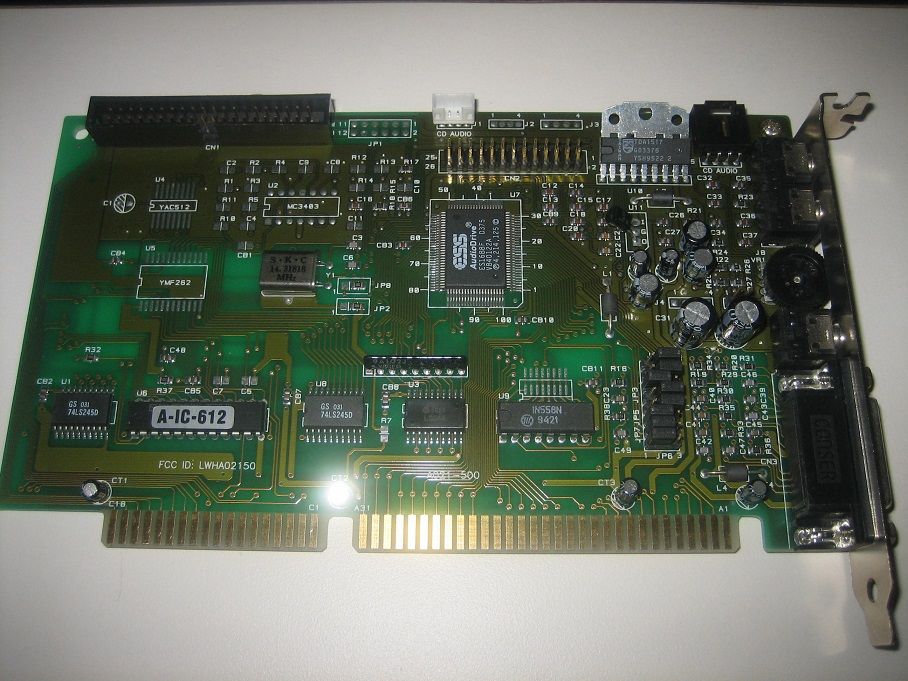
An ES1688F sound card. It has pads for real Yamaha YMF-262 and its YAC-512 DAC,
presumably so the same PCB could be used for a 688-based version as well
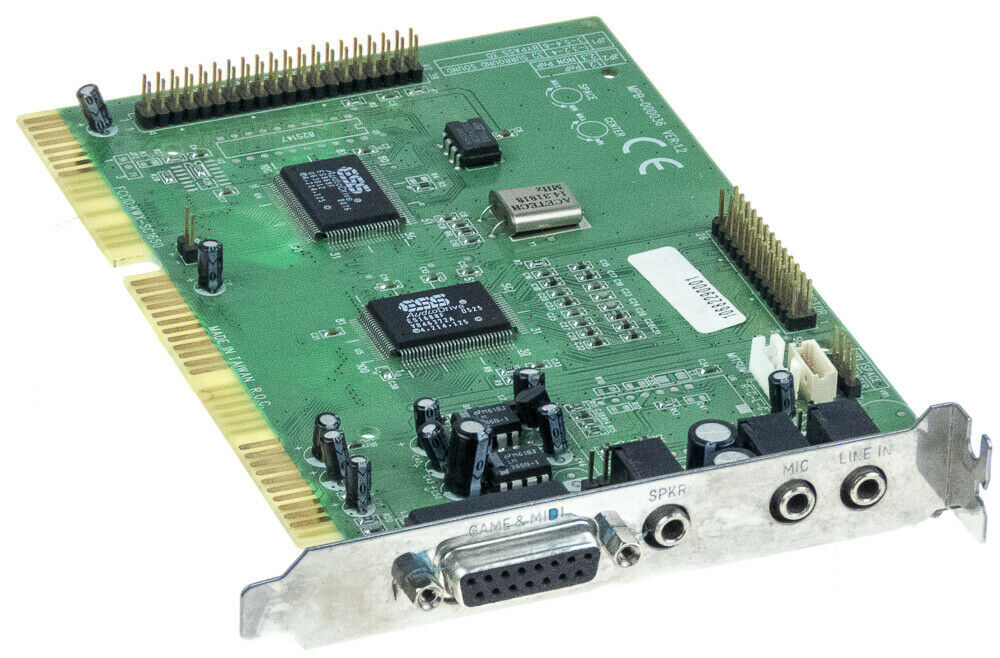
A Formosa sound card with Part #MPB-000036 (FCC ID: KWX-SC1650)
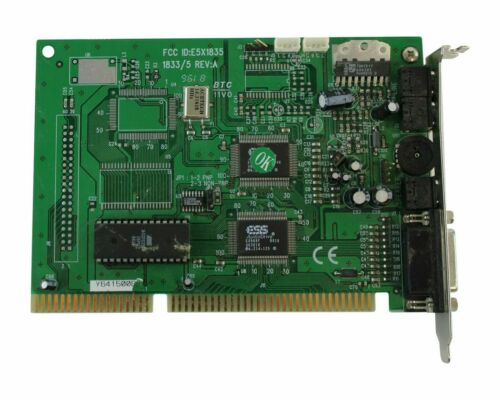
A Behavior Tech BT-1835
.jpg)
A MultiWave AudioWave 32PNP
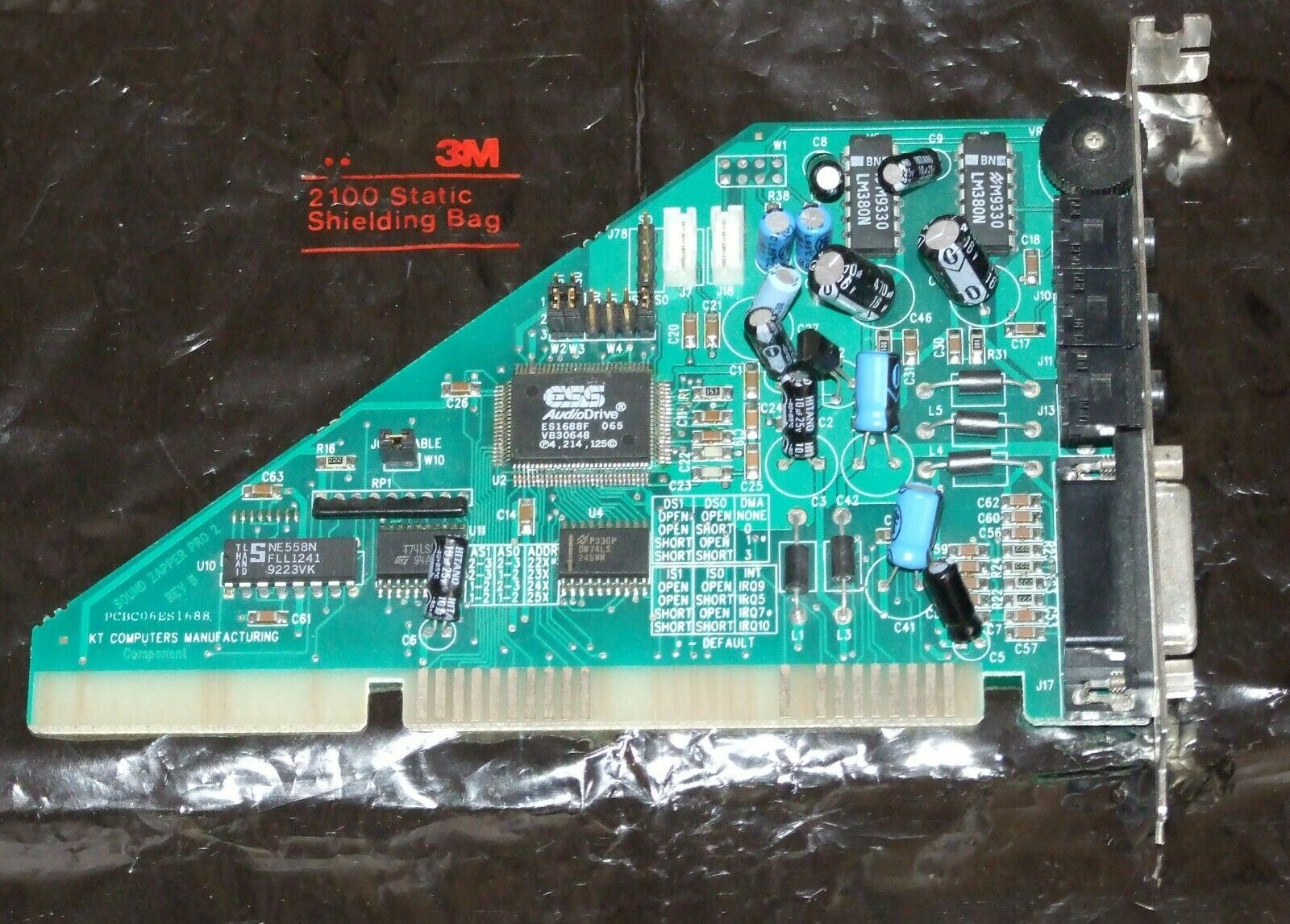
A Sound Zapper Pro 2 from KT Computers Technology