Let's Explore: IBM OS/2 v2.11 - Part 1
4th July 2026
I recall seeing OS/2 version 2 back in the early 90s, around the time many were running Windows 3.0. It came with the promise of being a much more stable multitasking windowed operating system, a rock solid file system, and great compatibility with both DOS and Windows. IBM even went as far as stating that OS/2 ran Windows applications even better than Windows in their adverts.
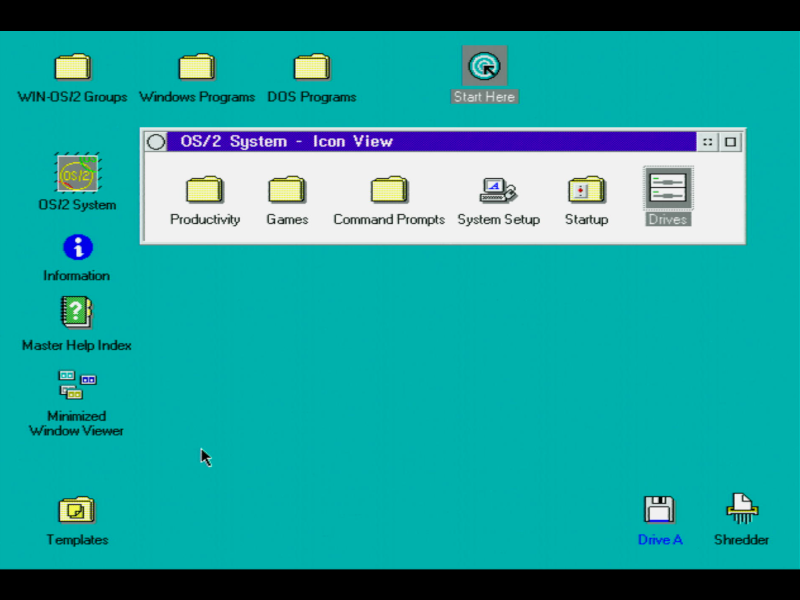
IBM OS/2 version 2.11
In this episode of Let's Explore we'll install OS/2 v2.11, look at some OS/2-specific versions of applications, and try out some native Windows 3.x apps to put that previous claim to the test.
Introduction
OS/2 2.11 had arrived in February 1994, and was the last version IBM released before OS/2 Warp which came out later the same year. Unlike earlier versions of OS/2 that were essentially the same as their Windows brethren, OS/2 v2.0 added "demand paging", a portable 32-bit API, multiple DOS sessions, Windows 3.x compatibility and most importantly the Workplace Shell. The Workplace Shell provided users with a first-of-a-kind, full-object-oriented environment, that seamlessly integrated programs and data.
OS/2 was able to run both 16-bit and 32-bit applications, or even a mix where some parts of an application ran in 16-bit and other parts ran in 32-bit. Why is that a big deal, I hear you ask? Before Windows 95, Windows could really only run 16-bit applications. If you wanted to run 32-bit apps, you needed Windows NT. Microsoft did eventually introduce Win32s which was an extension that could be installed and allow you to run 32-bit apps in Windows 3.x - a process referred to as 'thunking'. It was really a stop-gap until the arrival of Windows 95, and it certainly couldn't run hybrid 16-/32-bit applications.
Despite the visual similarities between OS/2 2.x and Windows 3.x, they are very different. The Workplace Shell (WPS) was built from the ground up as an object-oriented system which means everything you see and interact with is an object. This differs from the older versions of OS/2 prior to v2.0 and Windows Program Manager where the GUI was a rigid user interface just used to run programs. With OS/2's WPS, you could manipulate any object as you liked and even extend it by creating your own objects that *any* other program could make use of.
DOS and Windows Compatibility
OS/2 version 2.x achieved a very high degree of Windows compatibility by running Windows applications inside a virtual DOS machine (VDM). OS/2 had an almost complete version of Windows built into it (called Win-OS/2), as well as a patched version of MS-DOS 5.0 (remember both DOS and Windows had been co-developed by IBM and Microsoft before their break up). Each application ran in its own protected virtual machine, so if there was a problem or that application hung it wouldn't affect any other applications that were also running.
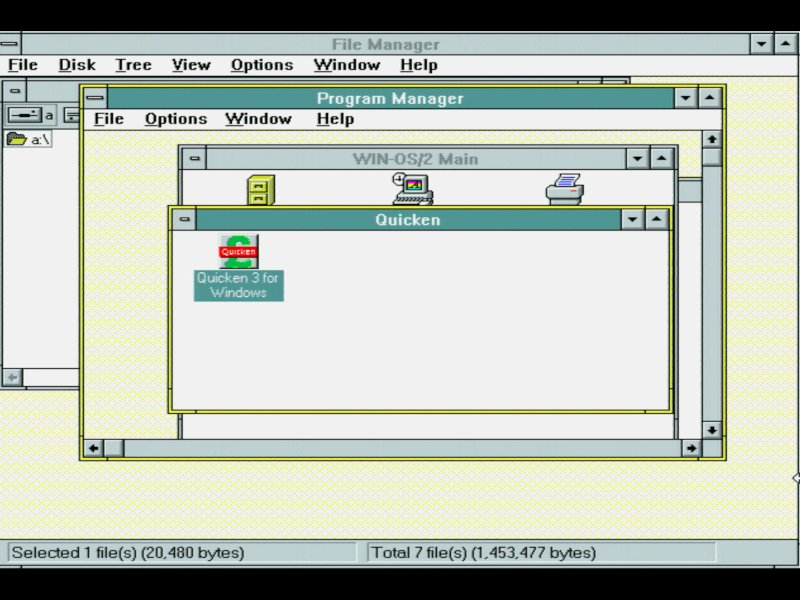
Win-OS2 running
in full-screen mode inside OS/2 2.11.
From an end user point of view, when comparing Win-OS/2 to Windows, it's reasonable [if overly simplistic] to consider the version that came with OS/2 v2.0 as being analogous to Windows 3.0 and OS/2 v2.1 to Windows 3.1.
Perhaps the biggest potential issue running OS/2 2.11 instead of Windows 3.1 is that OS/2 doesn't support Windows device drivers (VxDs) - only Windows "user mode" code components are compatible. This is not a problem if your hardware is natively supported by OS/2 or you have OS/2 drivers for all your cards and peripherals.
Running DOS programs and games is easy - you can open a DOS window (or run it full-screen), and it supports full access to your hardware including sound cards, just as if you were running real mode DOS. I won't be using OS/2 for this, as I'm keeping my existing DOS partition, but it's good to see that it can.
In Part 2, we'll install OS/2 v2.11 on my retro PC.